For YouTubers on a Mac
Shoot it. Drop it in.
Post it.
Knowmii Productions turns a folder of raw clips into a finished YouTube video: cut, branded, captioned and uploaded, with a thumbnail and Shorts ready to post. It does the slow parts of editing for you, and you stay in charge of every decision. Everything happens on your Mac.
Apple silicon · macOS 12 or newer · $37 CAD a month

- CutAI first cut, dead air and retakes removed
- BrandTitle card, logo, name titles, end card
- ThumbnailFrom your best frame, with your colours
- ShortsVertical clips with big captions
- PublishUpload, schedule, captions and chapters
Editing shouldn't eat your week.
Ask any YouTuber where the hours go. Scrubbing through footage, cutting pauses, finding the good take, building the thumbnail, cutting Shorts, writing the description and chapters, uploading, scheduling. Every week. Knowmii Productions does that work in one place, so you can get back to filming and to the people who watch you.
01 · The first cut
Claude edits the first cut. You make the calls.
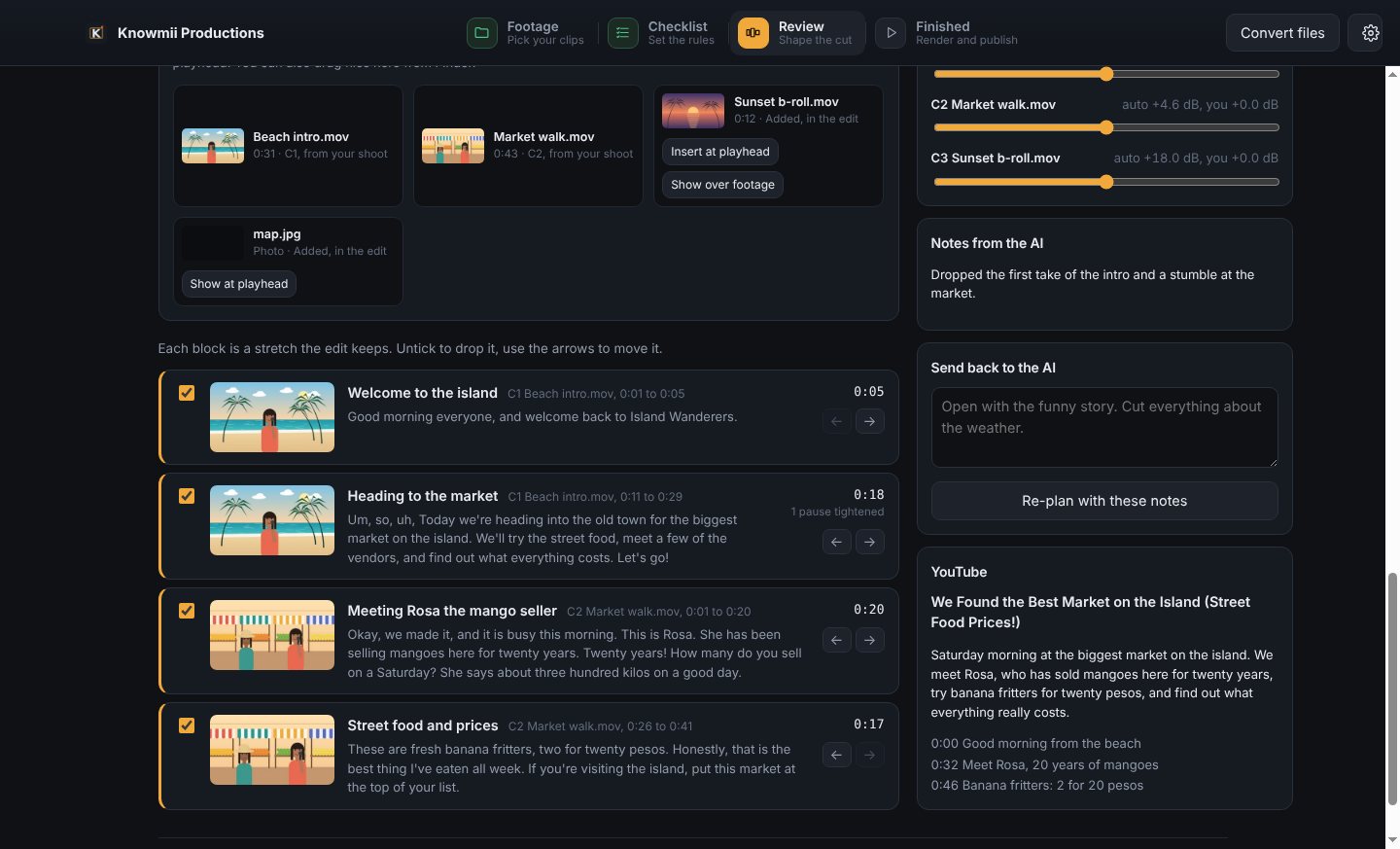
Your clips are transcribed on your Mac. Claude reads every word and builds a cut the way an experienced editor would: the stumbles, false starts and second takes come out, and the story stays in order.
- Every kept block with its words, timing and a short label
- Tick a block off, move it, or tell Claude what to change and get a new plan
- Title, description and chapters written for you
- People named in the video get a name title automatically
02 · The timeline
A real timeline when you want to fine-tune.
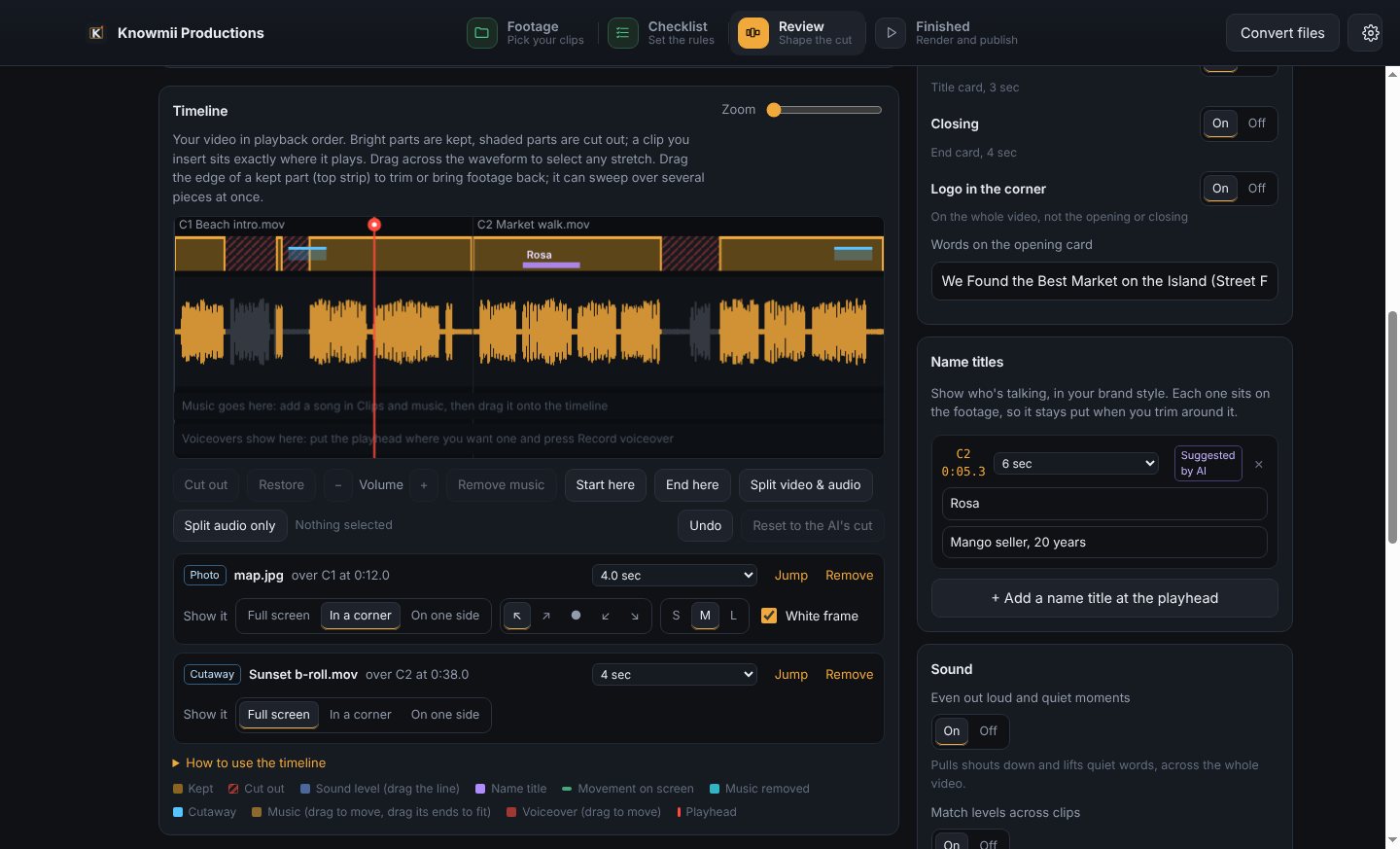
See every cut on the waveform. Drag across any stretch to cut it or bring it back, trim the edges, and turn any stretch up or down.
- Drop in b-roll, photos and maps: full screen, in a corner or side by side
- Record a voiceover right in the app; the original sound dips under your voice
- Add music that ducks under talking, or remove background music from a clip
- Undo everything; every edit saves itself as you go
03 · Your brand
Looks like your channel, every time.
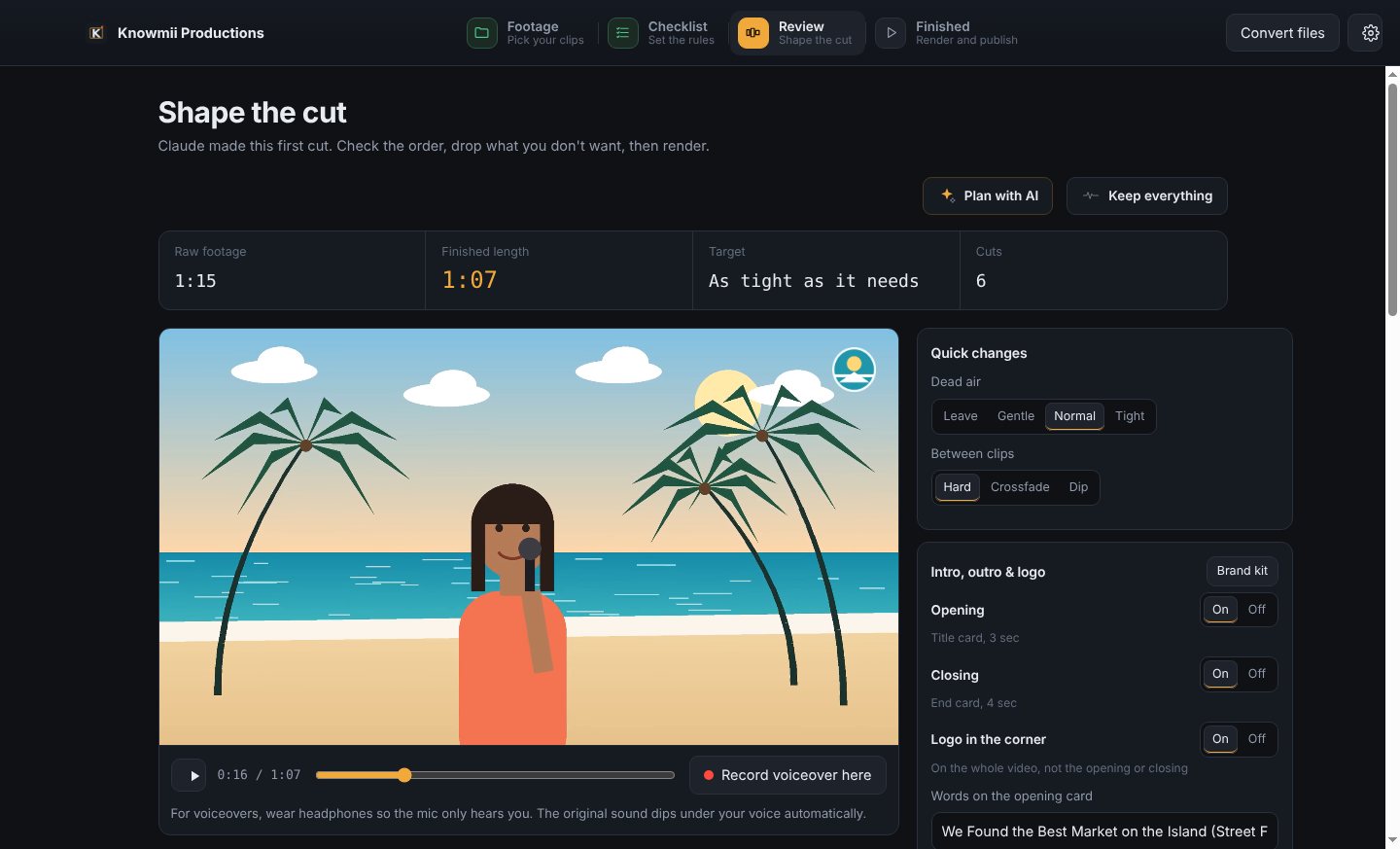
Set up your brand kit once: logo, colours and font. Each video gets an opening title card, your logo in the corner, name titles and an end card, all switched on or off with one click.
- Preview the edit with your branding before you render
- Sound evened out across the whole video and between clips
- 1080p or 4K, with hard cuts, crossfades or dips between clips
04 · Thumbnails
A thumbnail in under a minute.
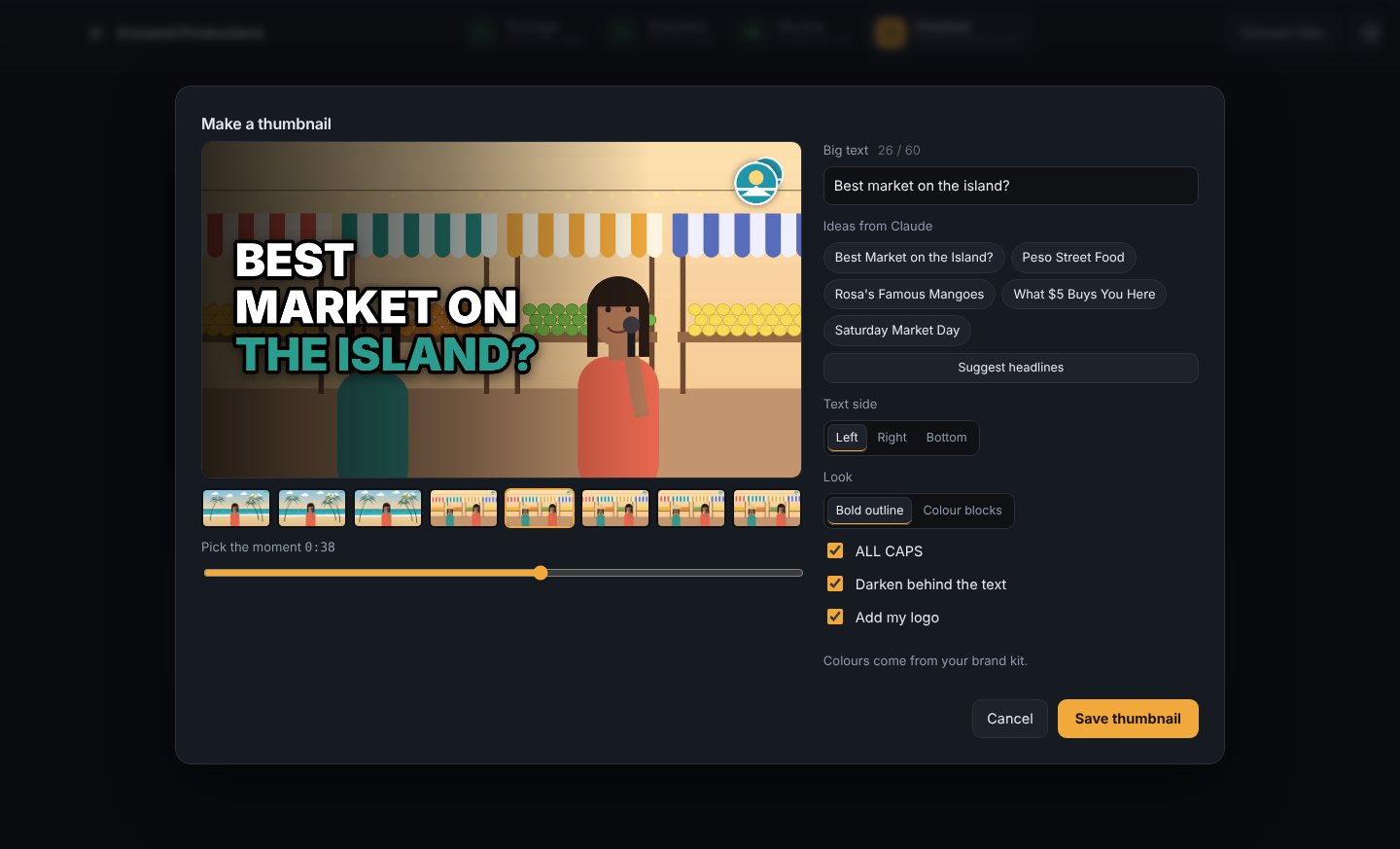
Pick a moment from your video, choose one of Claude's headline ideas or write your own, and the thumbnail is drawn in your brand colours and font, logo included.
- Headline ideas written from your video
- Bold outline or colour-block looks, text on the left, right or bottom
- Saved at the size YouTube wants and attached to the upload automatically
05 · Shorts
Shorts from the same video, ready to post.
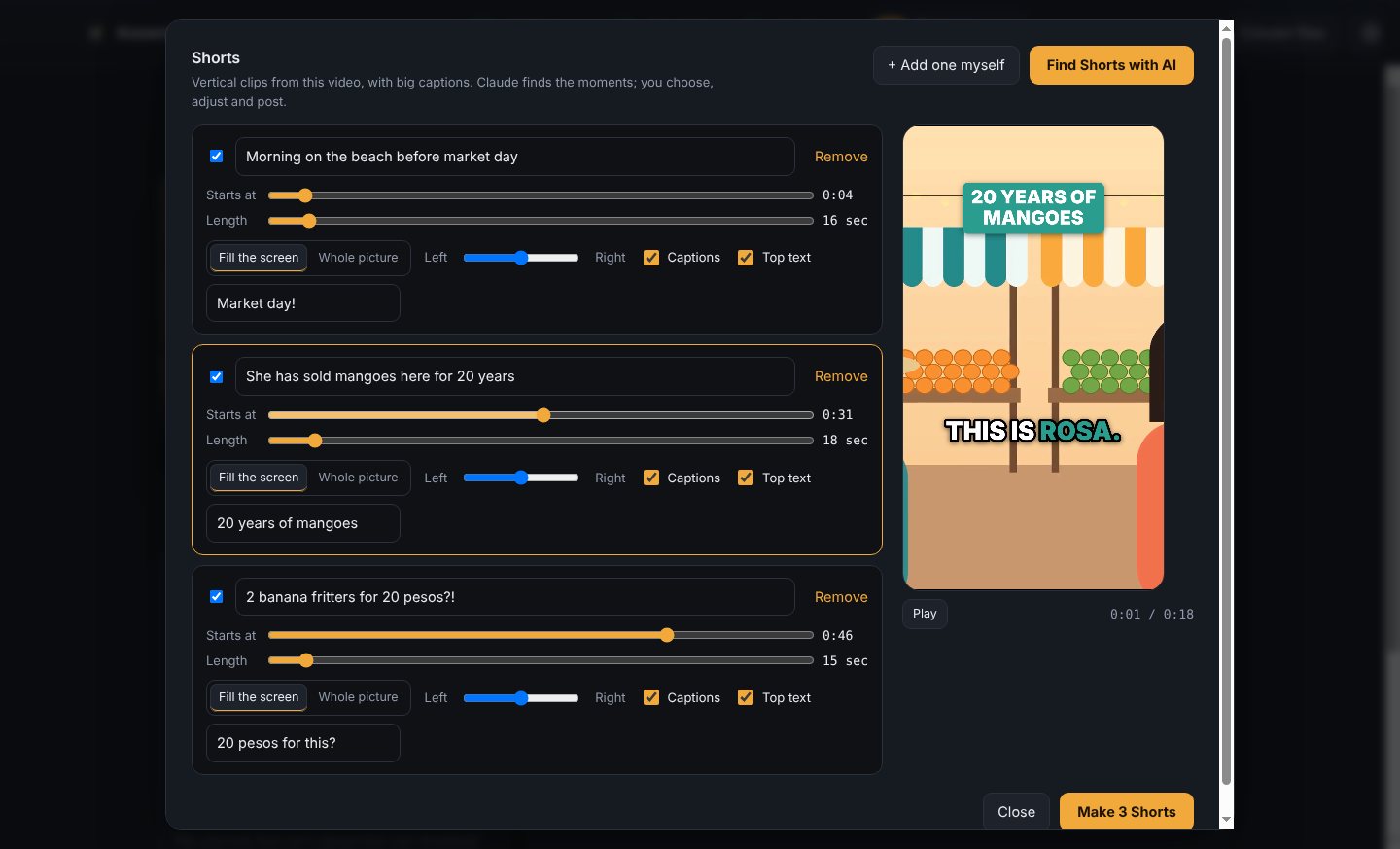
Claude finds the moments that stand on their own. Each one becomes a vertical Short with big, word-by-word captions and a headline across the top.
- Adjust where each Short starts and how long it runs
- Fill the screen and keep the speaker in frame, or show the whole picture
- Post them all now or one a day, each linking back to the full video
06 · Publish
Straight to YouTube, scheduled and complete.
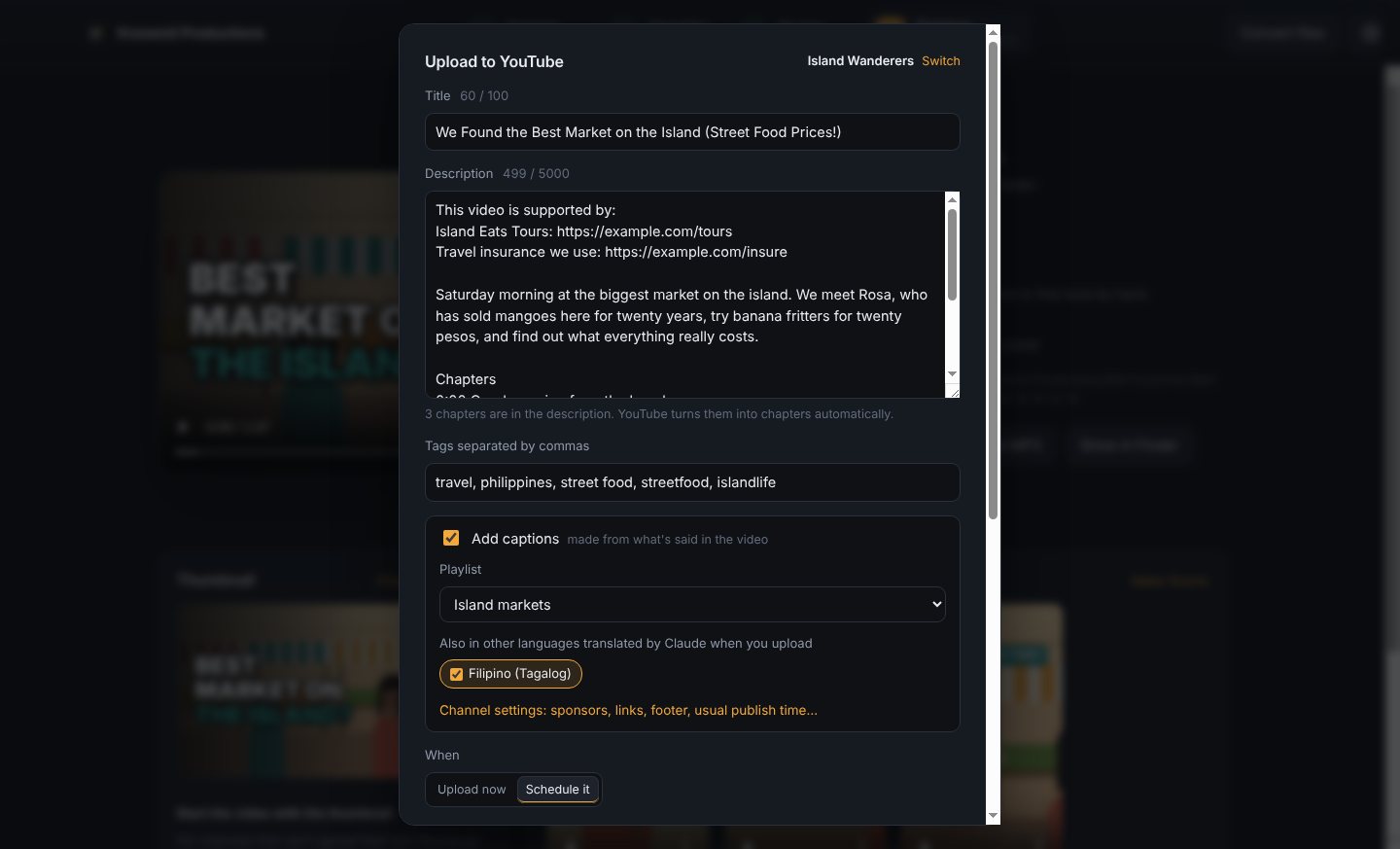
Connect your channel once. Every upload arrives with its title, description, chapters, tags, thumbnail and captions, in the right playlist, at your usual publish time.
- Sponsors and affiliate links pinned to the top of every description
- Captions made from your finished edit, not the raw footage
- Titles and descriptions translated into up to 6 languages
- A podcast MP3 of the episode, for Spotify and Apple Podcasts
07 · Upload queue
Uploads that survive slow internet.
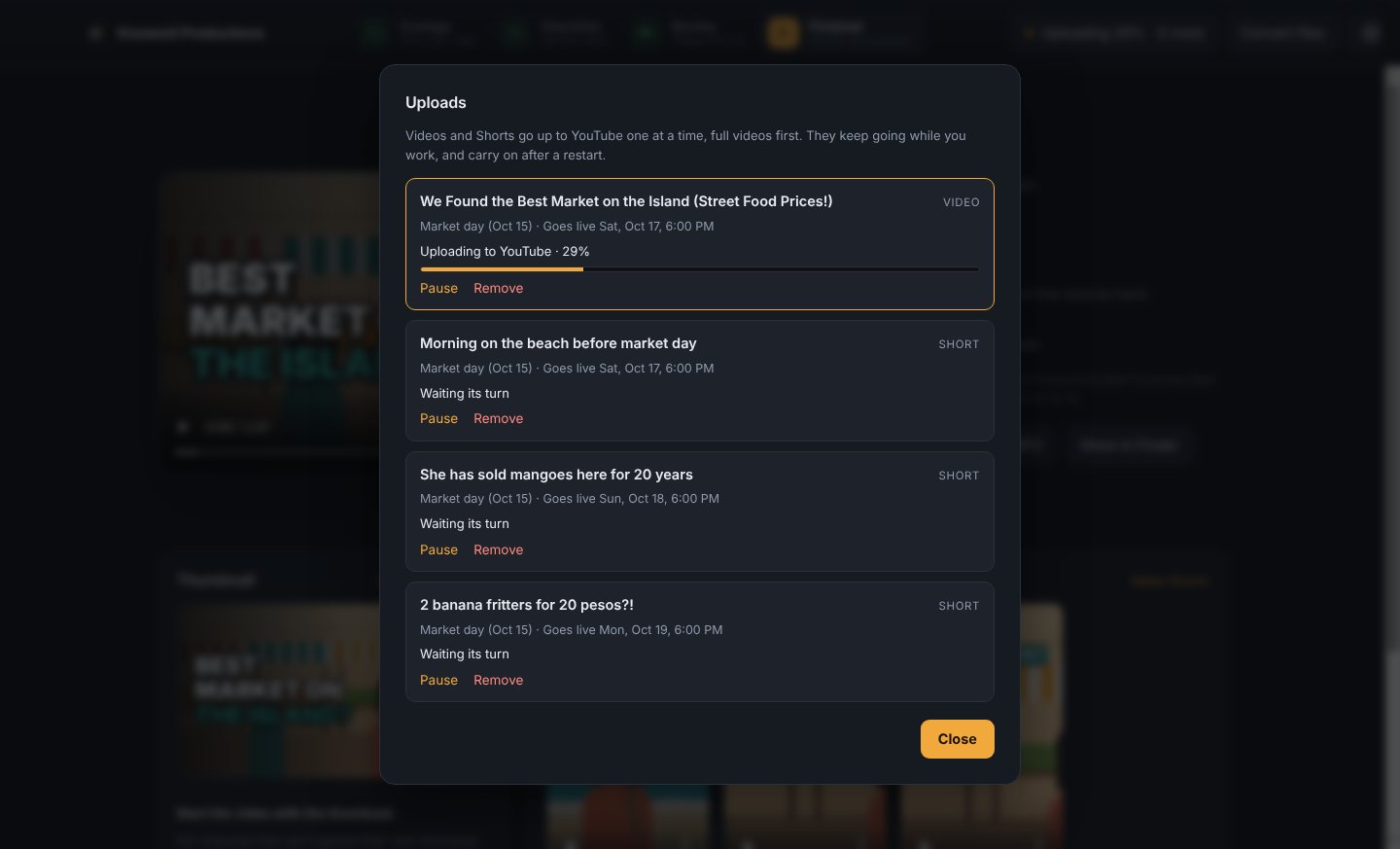
Videos and Shorts go up one at a time in the background while you keep working. If the connection drops, or you close the app, they carry on from where they stopped.
- Full videos first, so every Short can link to its video
- Pause, resume or remove anything in the queue
- Waits out YouTube's daily limit and carries on by itself
08 · All in one place
Come back any time. It's all still there.
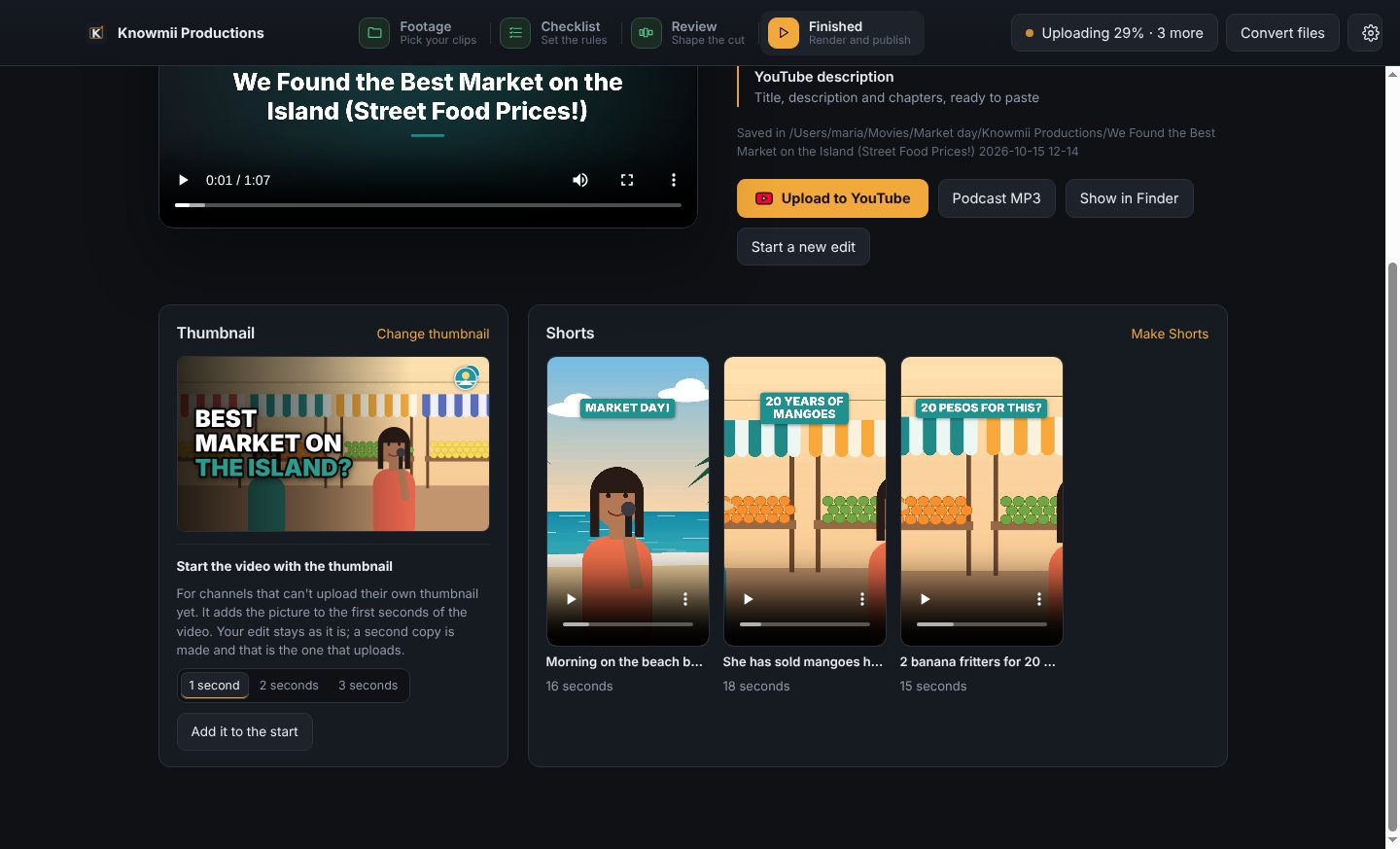
Every project saves itself. Reopen one and you're back at the finished screen, with the video, its thumbnail and its Shorts, ready to play, change or post.
- An edit file for Premiere Pro or DaVinci Resolve, if you want to finish by hand
- A built-in converter shrinks big camera files to MP4 or pulls out the audio
- Put the thumbnail at the start of the video for channels without custom thumbnails
How a video gets made
-
01
Pick your footage
Choose the folder with your clips and put them in order. Phone video, camera files and screen recordings all work together.
-
02
Set the checklist
Length, 1080p or 4K, how clips join, how tight the pauses get, and notes for the AI editor. Save it as a preset per show.
-
03
Review the cut
Check Claude's cut, fine-tune it on the timeline, add b-roll, music or a voiceover, and switch your branding on.
-
04
Render and publish
Make the thumbnail and Shorts, then upload everything to YouTube, scheduled for your usual day and time.
You set the rules.
The checklist is how you'd brief an assistant editor. The same settings give the same style every episode.

- Target lengthExact minutes, or as tight as it needs
- Resolution1080p or 4K
- Between clipsHard cut · crossfade · dip to black
- Audio at cutsStraight · dip between clips · dip at every cut
- Dead airLeave · gentle · normal · tight
- Clean-up“Um” and “uh”, bad takes, false starts
- Editor notes“Keep Rosa's story. Cut the parking tangent.”
- You getMP4 · captions · thumbnail · Shorts · podcast MP3 · Premiere / DaVinci edit file
Private by design.
Your video stays on your Mac
Transcription, editing and rendering all run on your own computer. Nothing is uploaded anywhere until you choose to post it to your own channel.
Only text goes to the AI
Claude plans the cut from the transcript alone, using your own Claude account. A typical video costs 25 to 75 cents in AI use.
You stay the editor
Nothing renders or posts without your say-so. Change anything Claude suggests, or finish by hand in Premiere or DaVinci.

Get Knowmii Productions
$37 CAD a month
Every feature, every update, on 2 Macs. Cancel any time.
Uses your own Claude account for the AI, usually 25 to 75 cents per video.
Already subscribed? Download the app
How it works
- Buy a subscription. Polar, our payment partner, emails you your license key.
- Download the app with your key, open the file, and drag Knowmii Productions onto the Applications folder.
- Open the app and paste your license key. Then add your Claude API key in Settings. The app shows you how.
Needs a Mac with Apple silicon (M1 or later) and macOS 12 or newer.
Questions
Does it replace an editor?
No. It does the slow first pass: pauses, retakes, structure. Story judgment still needs a person, which is why every job ends at a review screen and an edit file you can finish by hand.
Does my video get uploaded anywhere?
Not for editing. Transcription and rendering run on your Mac, and only the transcript text is sent to Claude to plan the cut. Your video only leaves your Mac when you upload it to your own YouTube channel.
What does it cost to run?
$37 CAD a month for the app, with every feature and update. The AI uses your own Claude account, usually 25 to 75 cents per video. There are no rendering or storage fees because everything runs on your Mac.
Does it work on Windows or Intel Macs?
Not yet. This early version is built for Apple silicon Macs.
How do I get updates?
The app checks for new versions when it opens. Choose Update now, or Check for Updates in the Knowmii Productions menu, and it replaces itself and reopens.
Can I cancel?
Yes, any time, from your Polar customer page. The app keeps working until the end of the month you've paid for, and your projects and videos stay on your Mac.
Do I need a YouTube channel that's already set up?
You need a YouTube channel to upload from the app; you connect it once with your Google sign-in. Custom thumbnails and videos over 15 minutes need YouTube's free phone check on your channel.